
Introduction
Video has become an essential part of digital communication. Businesses use it to promote products, educators rely on it to explain complex subjects, and content creators use it to reach audiences across social media platforms. However, producing a polished video traditionally involves several separate tasks, including scriptwriting, sourcing visual assets, recording narration, editing footage, adding subtitles, and preparing the final export.
CutBay AI takes a different approach by bringing many of these tasks into a conversational, AI-assisted workflow. Rather than requiring users to assemble every element manually, the platform allows them to describe a video, provide source materials, and refine the result through natural-language instructions.
But how useful is this approach in practice, and who should consider using it? This review examines CutBay AI from a software evaluation perspective, focusing on its workflow, core capabilities, potential advantages, limitations, and suitability for different users.
What Is CutBay AI?
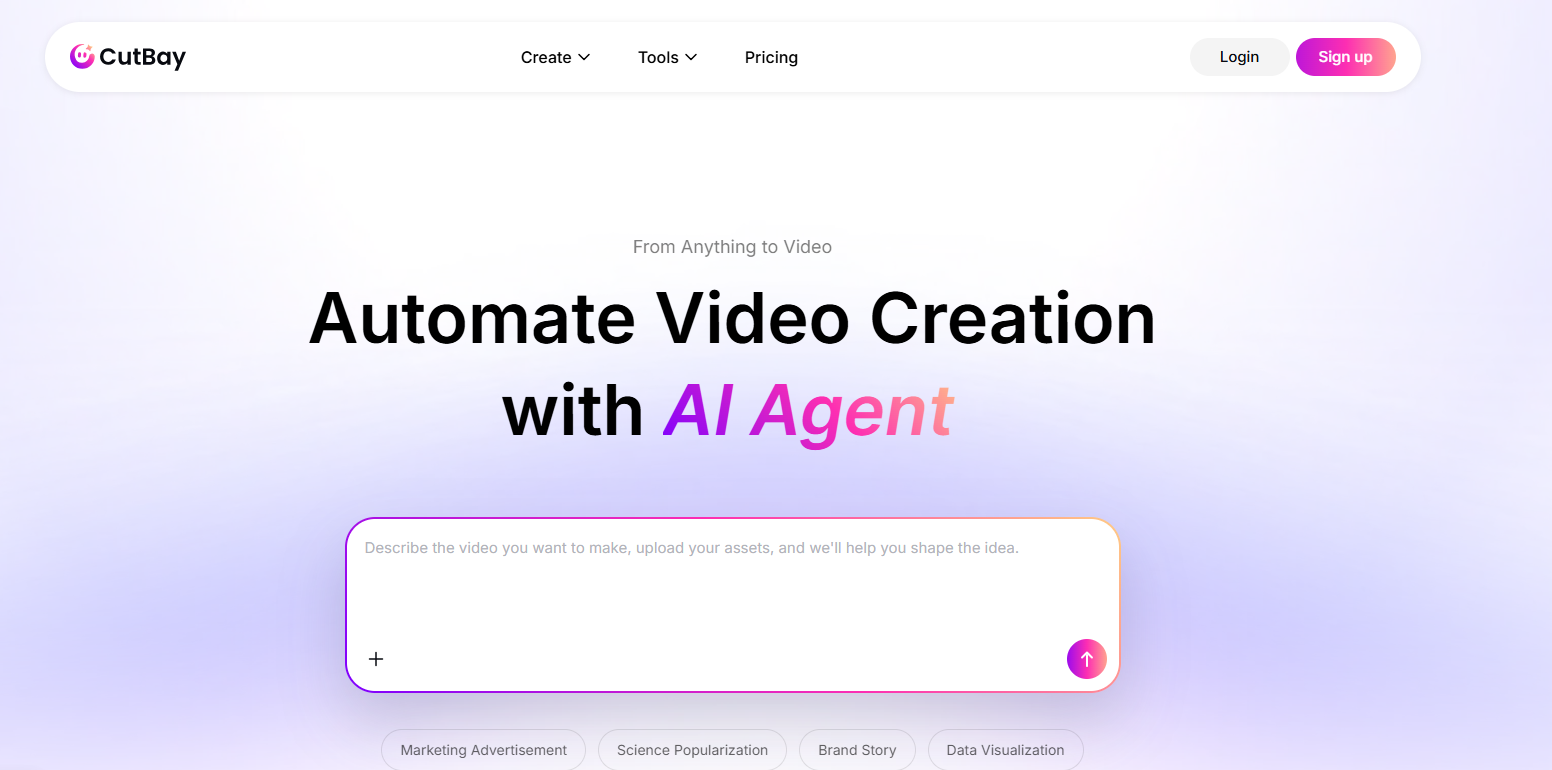
CutBay is an AI-powered video creation platform designed to turn ideas and existing materials into videos. According to its official website, users can begin with written prompts, presentation files, documents, web links, images, or video assets.
The platform’s central concept is an AI agent that helps coordinate the production process. This includes understanding the input, planning a script, assembling visual elements, generating supporting audio and captions, and allowing subsequent refinements through conversation.
This makes CutBay different from a conventional timeline-based editor. Its primary focus is reducing the amount of manual work required to move from an initial idea or source document to a presentable video.
Key Features
1. Multiple Input Formats
One of CutBay’s most useful design choices is its support for different starting points.
Users can provide an idea in a text prompt, submit a webpage, work from a presentation, upload documents, or use their own media assets. This flexibility is relevant because video production does not always begin with raw footage.
For example, a marketing team may already have a product landing page, while an educator may have a PowerPoint presentation. A publisher might want to repurpose an existing article. CutBay’s workflow is designed to accommodate these different scenarios.
2. AI-Assisted Video Planning
Producing a coherent video requires more than selecting attractive images. The content needs a clear structure, appropriate pacing, and a logical relationship between narration and visuals.
CutBay describes a workflow in which its AI agent analyzes the input and develops a structured script before producing the video. This planning stage can help users organize information before moving into visual production.
Nevertheless, users should review the resulting narrative carefully. Automated summarization can omit important qualifications, simplify technical explanations, or emphasize information differently from the original source.
3. Conversational Editing
CutBay also supports editing through natural-language instructions. Instead of relying exclusively on manual controls, users can describe changes they want to make.
Potential requests might include shortening a scene, changing the tone of a narration, replacing a visual, or adjusting captions. The objective is to make revision more accessible to users who do not have extensive video-editing experience.
The quality of this experience ultimately depends on how accurately the system interprets instructions and applies them to the intended parts of a project. Complex revisions may still require several rounds of clarification.
4. Integrated Audio and Visual Elements
The platform’s advertised workflow includes visuals, voiceovers, subtitles, music, and animations. Coordinating these elements within one production process may reduce the need to move between multiple applications.
However, automated assembly is not equivalent to professional creative direction. Visual relevance, music selection, narration quality, and synchronization should all be evaluated before a video is published.
Who Can Benefit from CutBay AI?
CutBay appears particularly relevant to users who need to produce informational or promotional videos regularly.
Content marketers can explore ways to repurpose articles and existing website content into additional formats.
E-commerce teams can investigate turning product pages and existing assets into promotional videos.
Educators and trainers may find the document-to-video workflow useful for preparing explainers and learning materials.
Small businesses can use AI-assisted production to explore video communication without immediately investing in a complex editing workflow.
Professional editors may also find value in automated first drafts, although their requirements for detailed timeline control and frame-level adjustments could be more demanding.
Advantages and Limitations
CutBay’s main potential advantage is workflow consolidation. Combining content analysis, script preparation, visual assembly, audio, captions, and conversational revisions can simplify the production process.
Its flexible inputs are another strength. Users do not necessarily need to begin with a blank timeline or original video footage.
The conversational interface may also lower the initial learning barrier for people who are unfamiliar with traditional editing software.
There are important limitations to consider, however. First, AI-generated videos require editorial review. A visually attractive output may still contain factual errors, irrelevant imagery, awkward pacing, or poorly emphasized information.
Second, automated editing provides a different type of control from a traditional video editor. Users who require precise shot timing, advanced compositing, or detailed color grading should evaluate whether the available editing options meet their needs.
Third, cost-effectiveness depends on usage limits, credit consumption, export restrictions, and the number of revisions needed. These details should be checked against the current pricing information before choosing a subscription.
What Should You Test Before Buying?
A meaningful evaluation should use the same source material across several tasks.
Start with a short blog post and assess whether the video preserves the article’s central message. Next, submit a presentation containing numerical information and check whether the figures remain accurate. Finally, provide existing product images and evaluate the relevance of the selected visuals.
During testing, record the time required for the first draft, the number of revisions needed, the export quality, and any remaining manual work. These measurements provide a more useful basis for comparison than general claims about AI productivity.
Final Verdict
CutBay AI presents an interesting approach to video production by treating the process as a coordinated conversation rather than a series of isolated editing tasks.
Its strongest potential use cases involve transforming existing content into explainers, promotional materials, and social media videos. The platform may be less suitable as a complete replacement for advanced editing software when precise creative control is essential.
For marketers, educators, and small teams, CutBay is worth evaluating if reducing production complexity is a priority. The final decision should depend on output quality, revision effort, export requirements, and total cost rather than automation claims alone.
Official website: https://app.cutbay.ai/