Simplifying React Native Animations: An Easy Guide to Best Practices

Adding eye-catchy animations in React Native apps makes them feel alive and engaging. It gives a dynamic, responsive vibe that improves the user experience. Today’s users are accustomed to the fluid, well-designed interfaces of top-tier mobile apps. Laggy or janky mobile animations can lead to dissatisfaction and may drastically decrease user engagement and return on investment (ROI) of your business. Implementing animations can be tricky for beginners; therefore, developers need some tips. This blog post shares some useful tips to make React Native animations simpler and smoother.
Understand the Basics of React Native Animations
Starting with animations in React Native is easy once you get the hang of it. React Native has a built-in Animated API that brings your apps to life in a straightforward way. It gives your app wings to move and interact dynamically.
- First, know what you’re working with. Animations change how something looks or moves over time. They can fade in, slide across, grow, spin – all to make your app more engaging. The Animated API lets you handle many animation types smoothly. Want to change opacity, position, or scale? It’s possible. Simple animations enhance the app feel without complexity.
- The Animated API is versatile. You can use it to animate opacity, position, scaling, rotation, and more. Start with basic effects to uplift your app’s interactivity without diving into advanced concepts.
- The best method to study is by doing it yourself. Experiment with diverse animations. Adjust their timing and motion style. Observe how these modifications influence the animation and your app’s vibe. It’s similar to conducting experiments, but instead of chemicals, you’re blending various animation components to see the outcome.
Remember, begin simply and grasp how to move and alter objects. Soon, you’ll create intricate, captivating animations that make your app shine. Like building blocks, every new skill you acquire adds up, helping construct delightful, animated experiences for users.
- Optimize Performance with the Animated API
To ensure smooth animations without lagging, optimize performance with the Animated API. Whenever feasible, let the native driver handle animations. This offloads intensive tasks directly to the device’s hardware, not the JavaScript engine. It’s like having an animation co-pilot, ensuring fluid performance.
Use shouldComponentUpdate judiciously. It regulates when components update, preventing unnecessary work during animations. This is valuable when animations don’t require re-rendering unchanging app sections. Focus only on what’s needed for sleek animation experiences.
Animations enhance user experience in apps. They provide a smooth and enjoyable feel. Apps with nice animations seem great to use. Subtle animations improve an app’s quality, but animations must be fast and responsive. Slow animations frustrate users. These small details make an app stand out. They transform good apps into amazing ones.
- Use LayoutAnimation to simplify layout changes.
Updating layouts smoothly seems tricky. React Native offers LayoutAnimation to ease transitions. This tool animates views automatically on layout updates. It adds a touch of magic. Elements glide into new spots effortlessly. You don’t need to control each movement.
Use LayoutAnimation before state changes altering the layout. Choose preset animations or customize them and make items expand gently or slide in. You can find a style fitting your app. LayoutAnimation keeps the code clean and straightforward. Instead of animating each element, use one command. This saves time and effort. Projects stay manageable.
LayoutAnimation’s benefits are clear. It simplifies layout transitions while enhancing visuals. Apps become slick and delightful to use. Implement it thoughtfully for best results. Animations add style to your app. Play with settings to improve them. Adjust duration or type for smoother layout changes. Practice finds perfect settings for natural animations.
- Use Native Driver for Smoother Animations
The native driver smoothens animations. It handles them directly on devices, not by the app. This optimizes speed and looks. Apps run faster, use less battery. But, the native driver has limits. It can’t animate layout changes. Still, for color, motion, or size, it shines. You can add `useNativeDriver: true` to enable it. Your app offloads animations to this helper.
- Use Outside Libraries for Complex Animations
When animations seem hard with basic React Native tools, use outside libraries. These are like toolboxes with special tools for complex animations. Two popular libraries are Lottie and Reanimated. A good mobile app development company in California helps you choose the best library in this case.
Lottie is good for adding high-quality animations made in other design programs. This lets you have professional-looking animations without coding from scratch. Reanimated gives more control for making complex animations directly in your React Native app.
Using these libraries opens up many possibilities. You can make animations that respond to user interactions, smooth background animations, or animations that creatively change your app’s layout.
- Use Interpolation for Dynamic Visual Effects
Interpolation in React Native lets you create dynamic visual effects. It smoothly animates between values over time. This is great for animating things like size, position, opacity, and color.
Interpolation works by taking input and output ranges. It maps input values to output values within those ranges. As the input value changes, the output value animates smoothly. For example, you could animate an object’s opacity from 0 to 1 as its position moves across the screen. The opacity would smoothly increase based on the position’s interpolated value.
Interpolation makes animations responsive to timing, gesture interactions, and other changing values. You get smooth, dynamic animations synced to your data. Combined with other animation tools, interpolation adds a professional touch.
- Leverage UseNativeDriver for Efficiency
To run animations smoothly and not slow down your app, use UseNativeDriver. It helps animations run smoothly by handling the work efficiently for your phone or tablet. This ensures smooth animations without dragging overall performance.
When you turn on UseNativeDriver, your app tells the device, “Handle these animations.” This helps a lot. It eases the load on your app so your app’s code runs smoothly. Everything feels snappier and responsive.
But, UseNativeDriver doesn’t work for every animation. Changing your app’s layout with animations may need a different approach. But for many animations, like moving things or changing colors, UseNativeDriver is great. To use it, add `useNativeDriver: true` to your animation setup. This small step can improve how your animations run. It makes your app nicer to use.
- Handle User Interaction with Animated Gestures
Making your app respond to user touches and finger movements can bring it to life. With Animated API, you can create animations that react to swipes, pinches, or rotations. This means your app doesn’t just look good, it feels good to use too. For example, you might zoom in a photo when someone pinches the screen. Or, slide out a menu with a swipe.
To start, think about user actions in your app. Then, imagine how movement could make these actions more interesting or easier to understand. The goal is to make your app not just easy, but also fun and engaging.
- Plan Animations for Better User Experience
Before adding animations to your app, think about their purpose. Each one should have a clear goal. You should ask yourself questions like will this animation make the app more fun or will it help users understand how to use it. It’s like planning a trip; you need to know why you’re going and what you’ll do.
Think of your app as a story you’re telling. Animations make it engaging. But like a good story, they need to fit together well. Make sure your animations match the app’s style and feel. They shouldn’t seem added last minute. Consider how each animation affects the app’s flow. Keep things smooth, without awkward pauses or distractions. Careful planning makes your app look and feel intuitive.
Conclusion
In short, animations enhance your React Native app’s look and feel. A top mobile app development company in Dallas can help you improve the animation of your app. Follow best practices like using Animated API, native drivers, and third-party libraries. Plan animations carefully. Optimize for performance and stay current on React Native updates. Animations should be visually appealing yet intuitive for users. Experiment and learn continuously. With these steps, you’ll craft seamless, dynamic animations. Your app will feel alive and engaging.


Visit DMN News for up-to-the-minute news, breaking news, video, audio and feature stories. DMN News provides trusted Wordle and UK news as well as local and regional perspectives. Also entertainment, business, science, technology and health news.
Related stories
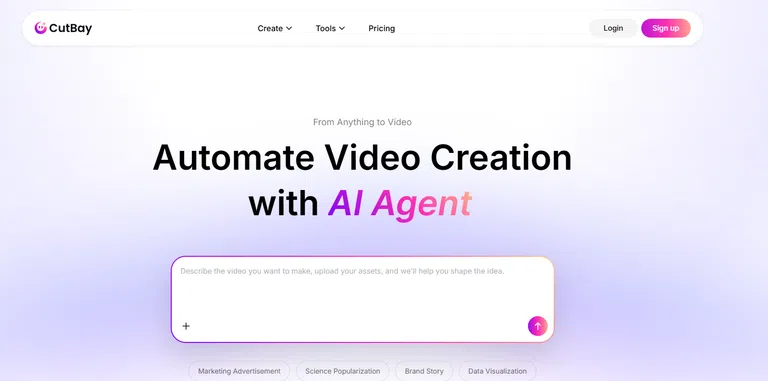
CutBay AI Review: Features, Workflow, Pros, Cons, and Overall Value
Video has become an essential part of digital communication. Businesses use it to promote products, educators rely on it to explain complex subjects, and…

Build Smarter With AI: Speed Up Floor Plans & Preconstruction
AI is making floor planning easier for modern builders. You no longer have to spend hours drawing every layout by hand. With the right…
What the Federal Budget Could Mean for Australia’s Biotech Future
Biotech is one of those industries where the exciting part is easy to talk about, but the difficult part often sits quietly behind the…